Draft with Copilot
Draft with Copilot
2022–2025 • AI WRITING ASSISTANCE
2022–2025 • AI WRITING ASSISTANCE
For millions of Word users, the hardest part of writing is often getting started. During Microsoft’s 2022 Global Hackathon, I partnered with PMs and engineers to build one of the earliest LLM-powered drafting experiences within Microsoft 365: a GPT-3.5 demo that generated text directly in the Word canvas. Over the next three years, I led the design evolution of that prototype into Draft with Copilot—now one of the most widely adopted AI features across the Office ecosystem—helping users move from a blank page to a first draft with ease.
For millions of Word users, the hardest part of writing is often getting started. During Microsoft’s 2022 Global Hackathon, I partnered with PMs and engineers to build one of the earliest LLM-powered drafting experiences within Microsoft 365: a GPT-3.5 demo that generated text directly in the Word canvas. Over the next three years, I led the design evolution of that prototype into Draft with Copilot—now one of the most widely adopted AI features across the Office ecosystem—helping users move from a blank page to a first draft with ease.
SEPTEMBER–DECEMBER 2022
Our hackathon demo gained executive sponsorship and became a formal product initiative.
As design lead, I focused on defining a practical mental model for AI-assisted writing: how AI should appear, behave, and collaborate while preserving user authorship.
Early Design Principles
01
Preserve the writer’s sense of ownership over the canvas
02
Introduce AI assistance without interrupting existing writing habits
03
Make AI limitations explicit to manage expectations
We adopted a rapid, research-driven cadence, shipping updates every two weeks and refining the experience through direct user feedback.
SEPTEMBER–DECEMBER 2022
Our hackathon demo gained executive sponsorship and became a formal product initiative.
As design lead, I focused on defining a practical mental model for AI-assisted writing: how AI should appear, behave, and collaborate while preserving user authorship.
Early Design Principles
01
Preserve the writer’s sense of ownership over the canvas
02
Introduce AI assistance without interrupting existing writing habits
03
Make AI limitations explicit to manage expectations
We adopted a rapid, research-driven cadence, shipping updates every two weeks and refining the experience through direct user feedback.
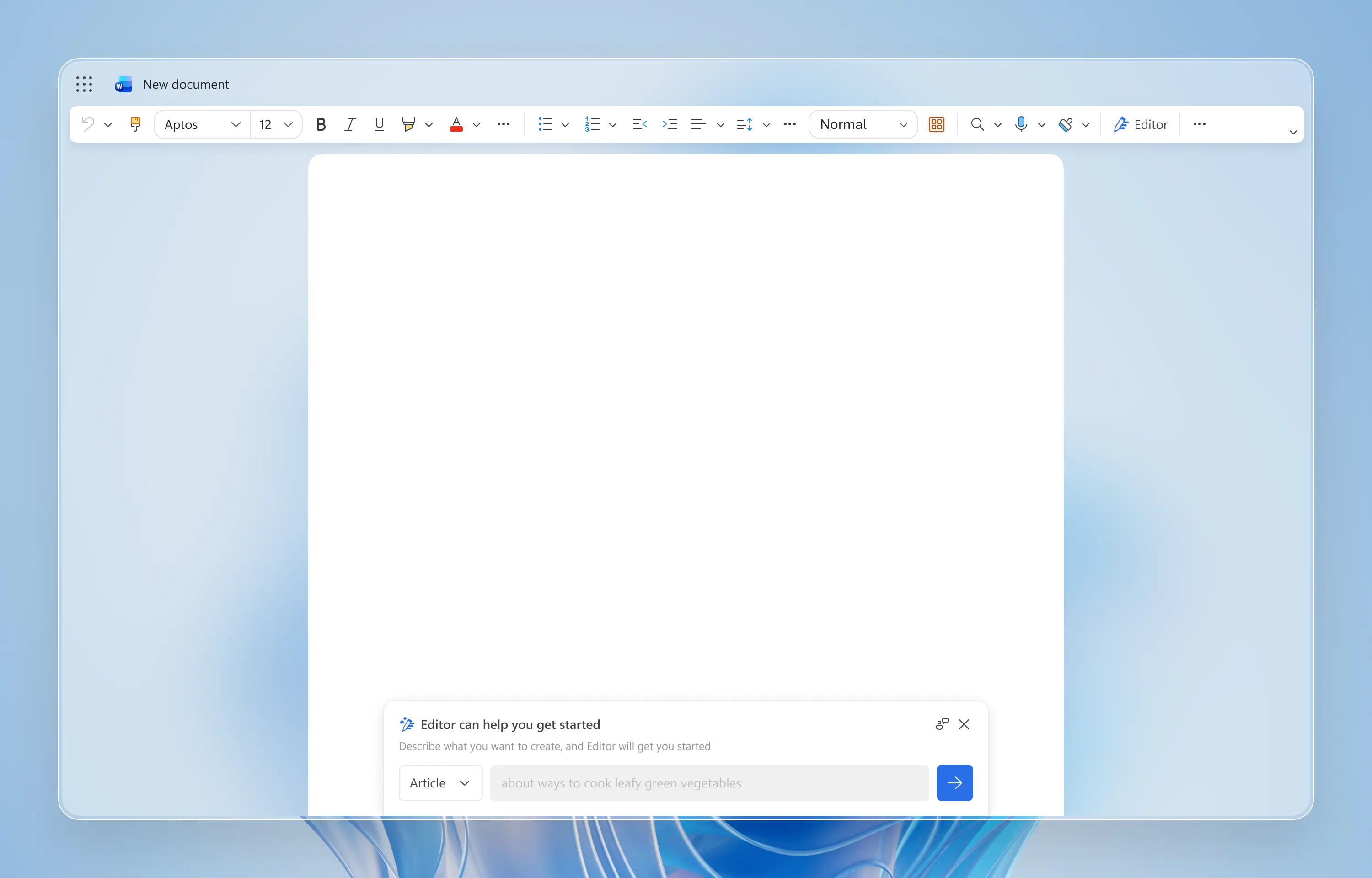
On a blank document, a bottom drawer rises into view and stays low to avoid intruding on the writing space. When users start typing on canvas, it disappears.
On a blank document, a bottom drawer rises into view and stays low to avoid intruding on the writing space. When users start typing on canvas, it disappears.
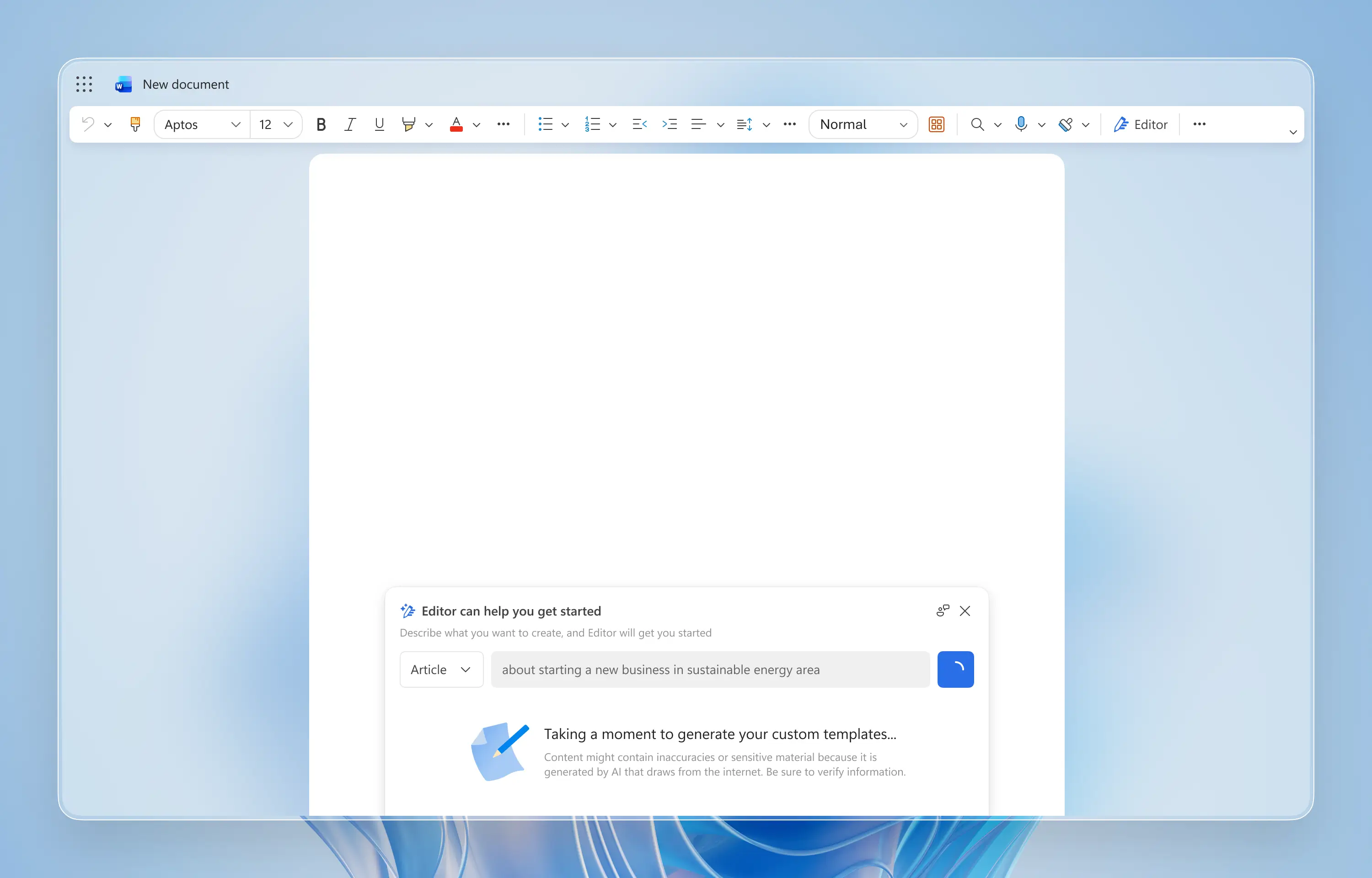
Due to early text-davinci-002's noticeable latency and hallucinations, I added an animated loading state to reassure users and added copy reminding them to fact-check the results.
Due to early text-davinci-002's noticeable latency and hallucinations, I added an animated loading state to reassure users and added copy reminding them to fact-check the results.
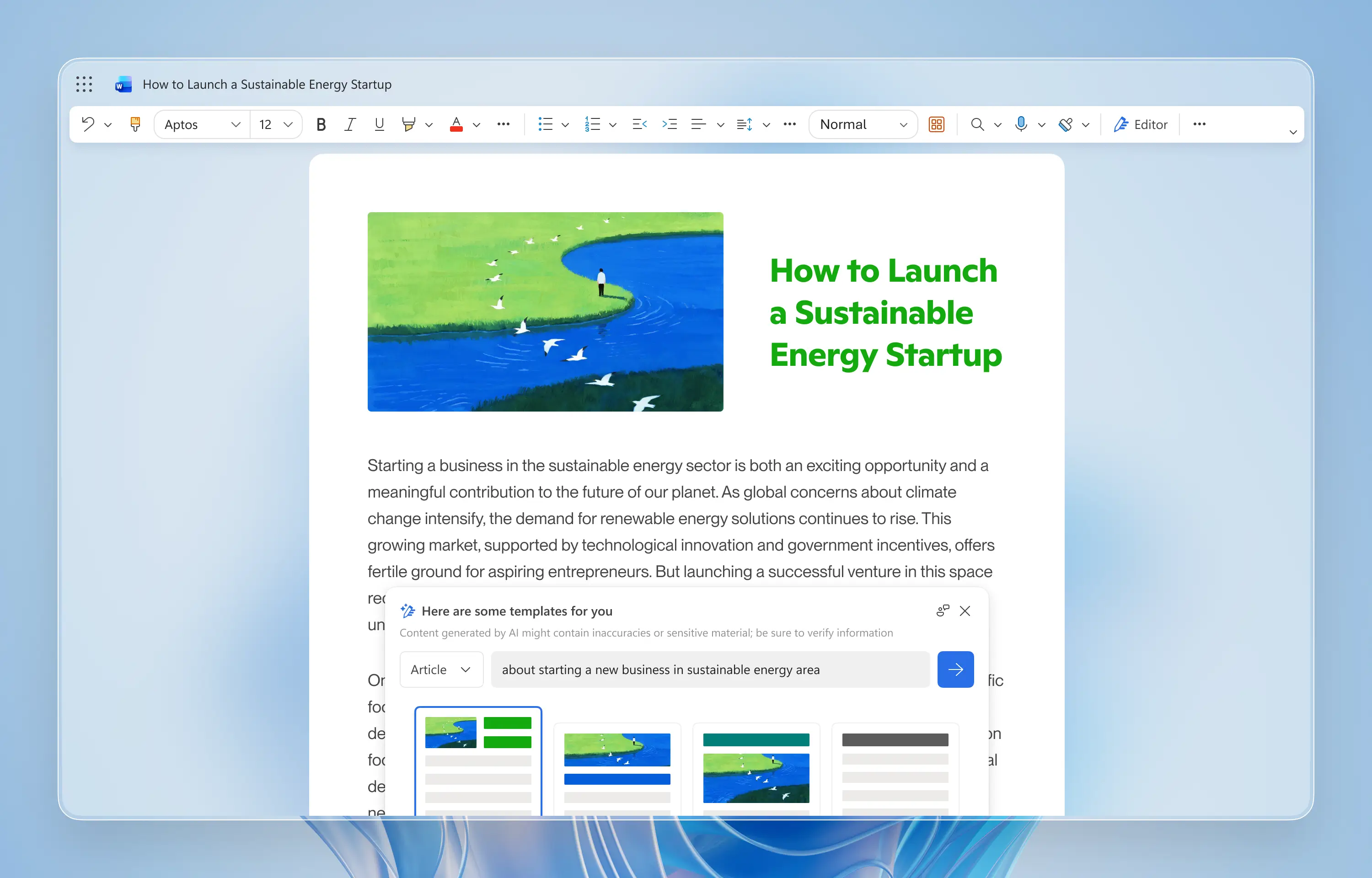
When generation succeeds, AI adds a draft and an image to the canvas, giving a clear starting point. Predefined layouts and colors make the draft feel intentional rather than arbitrary.
When generation succeeds, AI adds a draft and an image to the canvas, giving a clear starting point. Predefined layouts and colors make the draft feel intentional rather than arbitrary.
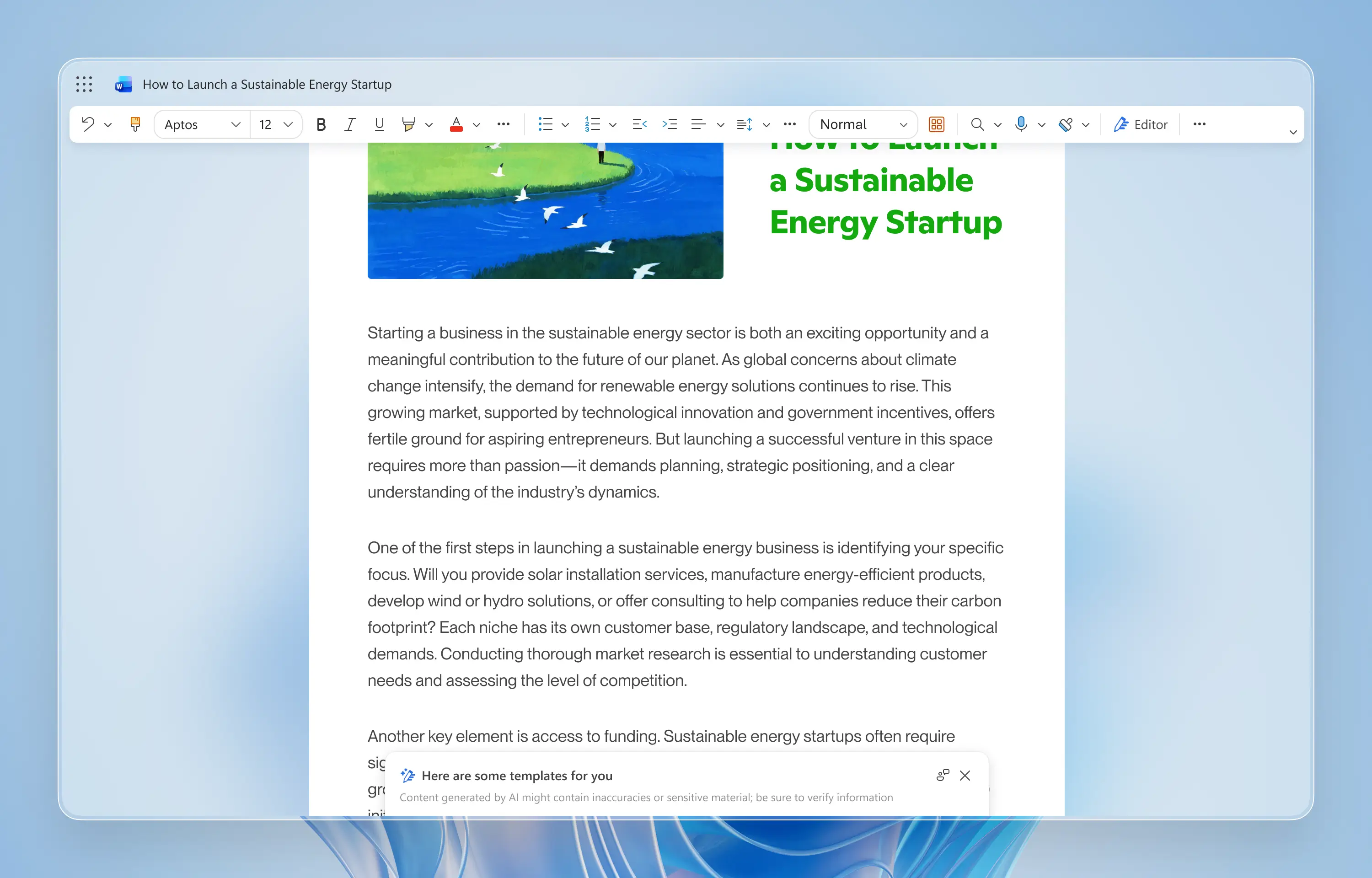
As users scroll, the drawer collapses automatically to keep the reading experience clean and to ensure AI support did not compete with the canvas.
As users scroll, the drawer collapses automatically to keep the reading experience clean and to ensure AI support did not compete with the canvas.
DECEMBER 2022–JUNE 2023
After four months of rapid iteration, early adopters consistently shared positive feedback, and interest expanded beyond Word. Teams across Microsoft 365, including PowerPoint and Excel, began exploring how similar AI drafting capabilities could fit their workflows.
My role expanded from designing a single feature to defining a scalable drafting pattern that other Microsoft 365 apps could adopt without losing product-specific interactions. I partnered with designers and PMs across teams to share insights, align on interaction models, and adapt the core authoring experience across surfaces.
This work culminated in a key milestone. On March 16, 2023, at Microsoft’s Future of Work with AI event, the company introduced Microsoft 365 Copilot. The drafting experience was renamed Draft with Copilot and was featured as a foundational innovation shaping the future of productivity.
+110%
FIRST INTERACTION RATE
* All metrics across this portfolio reflect earlier iterations; current performance is omitted for confidentiality.
DECEMBER 2022–JUNE 2023
After four months of rapid iteration, early adopters consistently shared positive feedback, and interest expanded beyond Word. Teams across Microsoft 365, including PowerPoint and Excel, began exploring how similar AI drafting capabilities could fit their workflows.
My role expanded from designing a single feature to defining a scalable drafting pattern that other Microsoft 365 apps could adopt without losing product-specific interactions. I partnered with designers and PMs across teams to share insights, align on interaction models, and adapt the core authoring experience across surfaces.
This work culminated in a key milestone. On March 16, 2023, at Microsoft’s Future of Work with AI event, the company introduced Microsoft 365 Copilot. The drafting experience was renamed Draft with Copilot and was featured as a foundational innovation shaping the future of productivity.
+110%
FIRST INTERACTION RATE
* All metrics across this portfolio reflect earlier iterations; current performance is omitted for confidentiality.
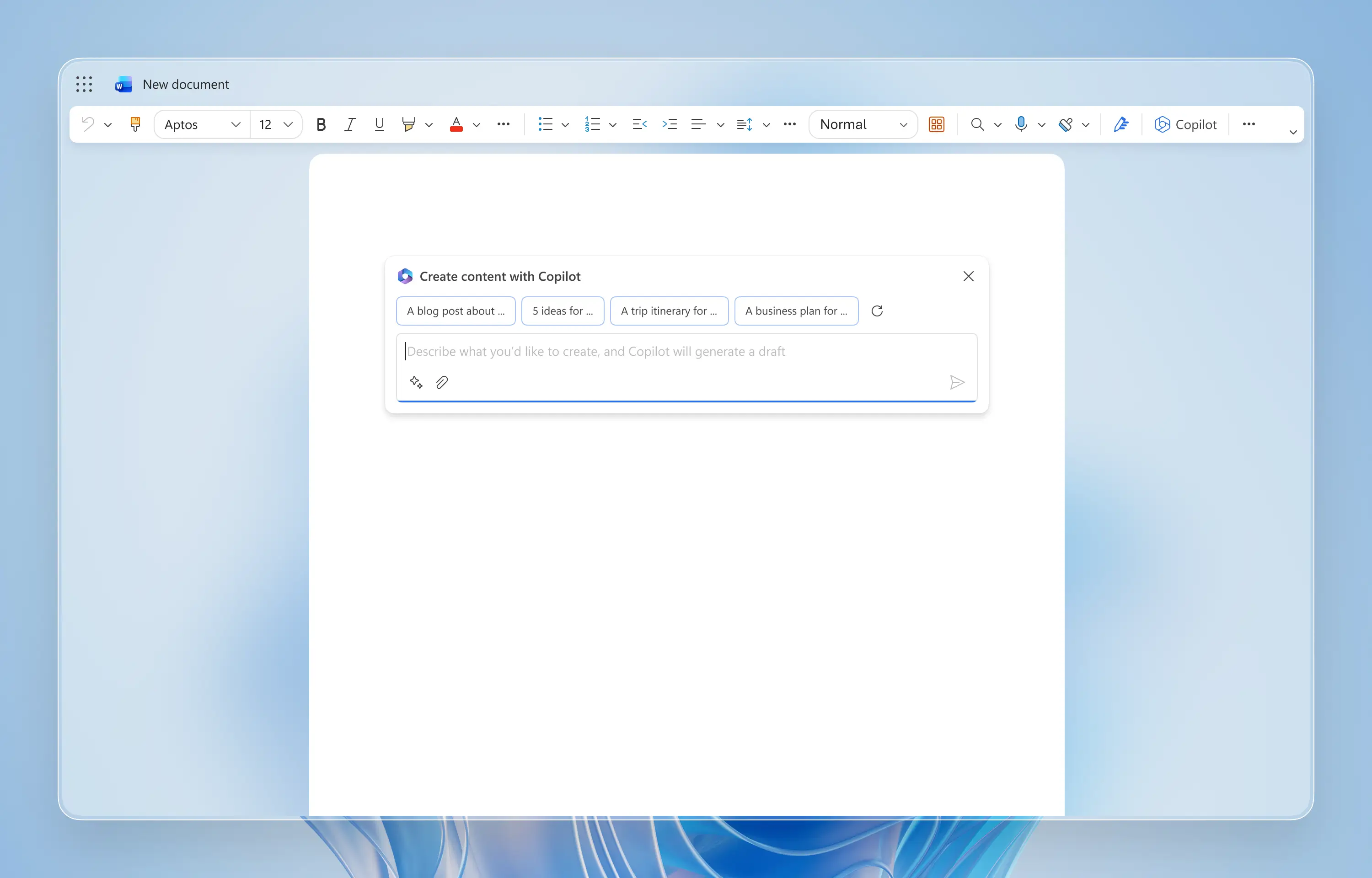
Centering the prompt input field on new documents improved discoverability. Predefined suggestions helped users new to AI build confidence.
Centering the prompt input field on new documents improved discoverability. Predefined suggestions helped users new to AI build confidence.
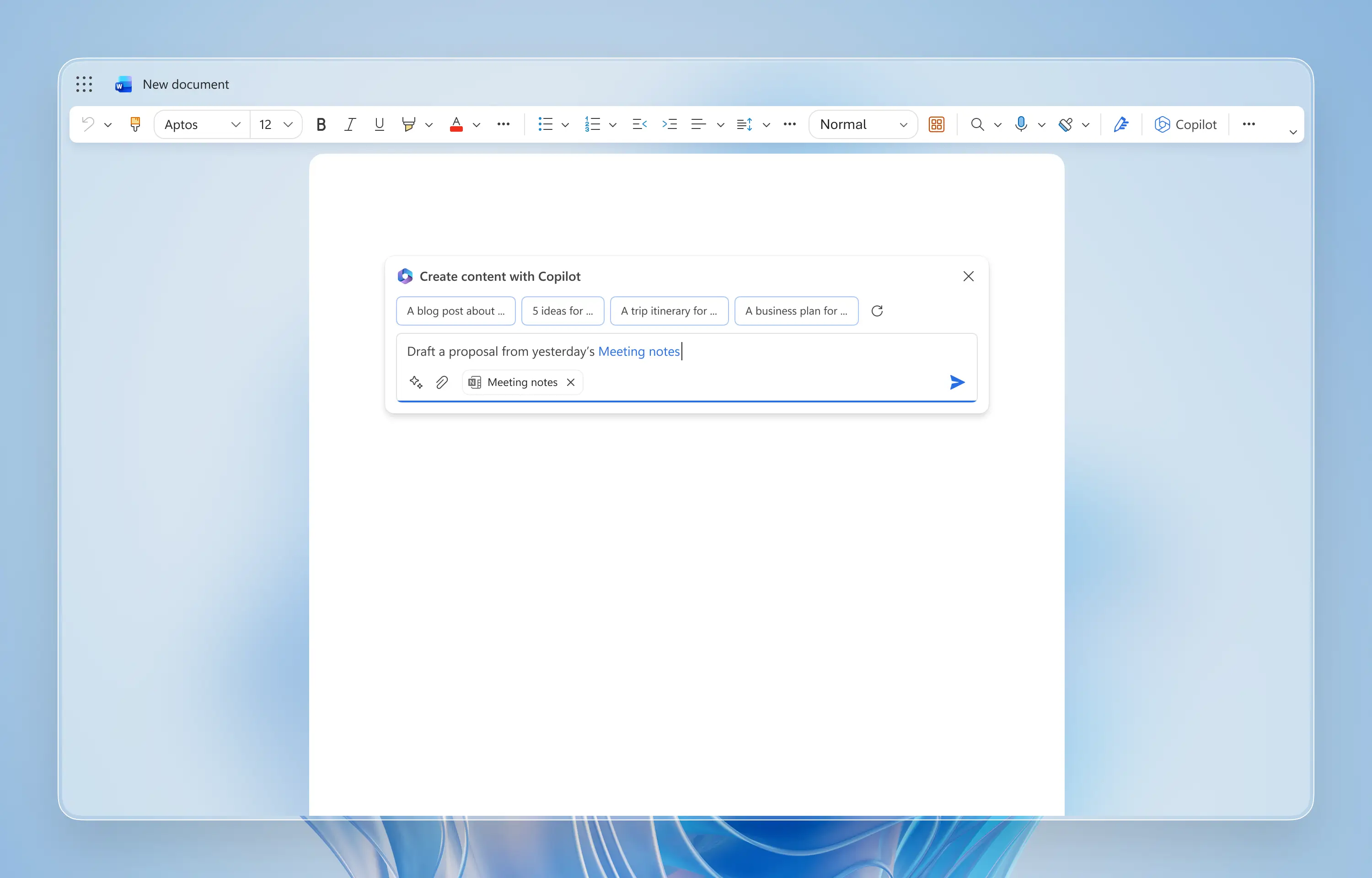
To meet business needs, I added file attachment support so users could reference business documents directly in their prompts.
To meet business needs, I added file attachment support so users could reference business documents directly in their prompts.
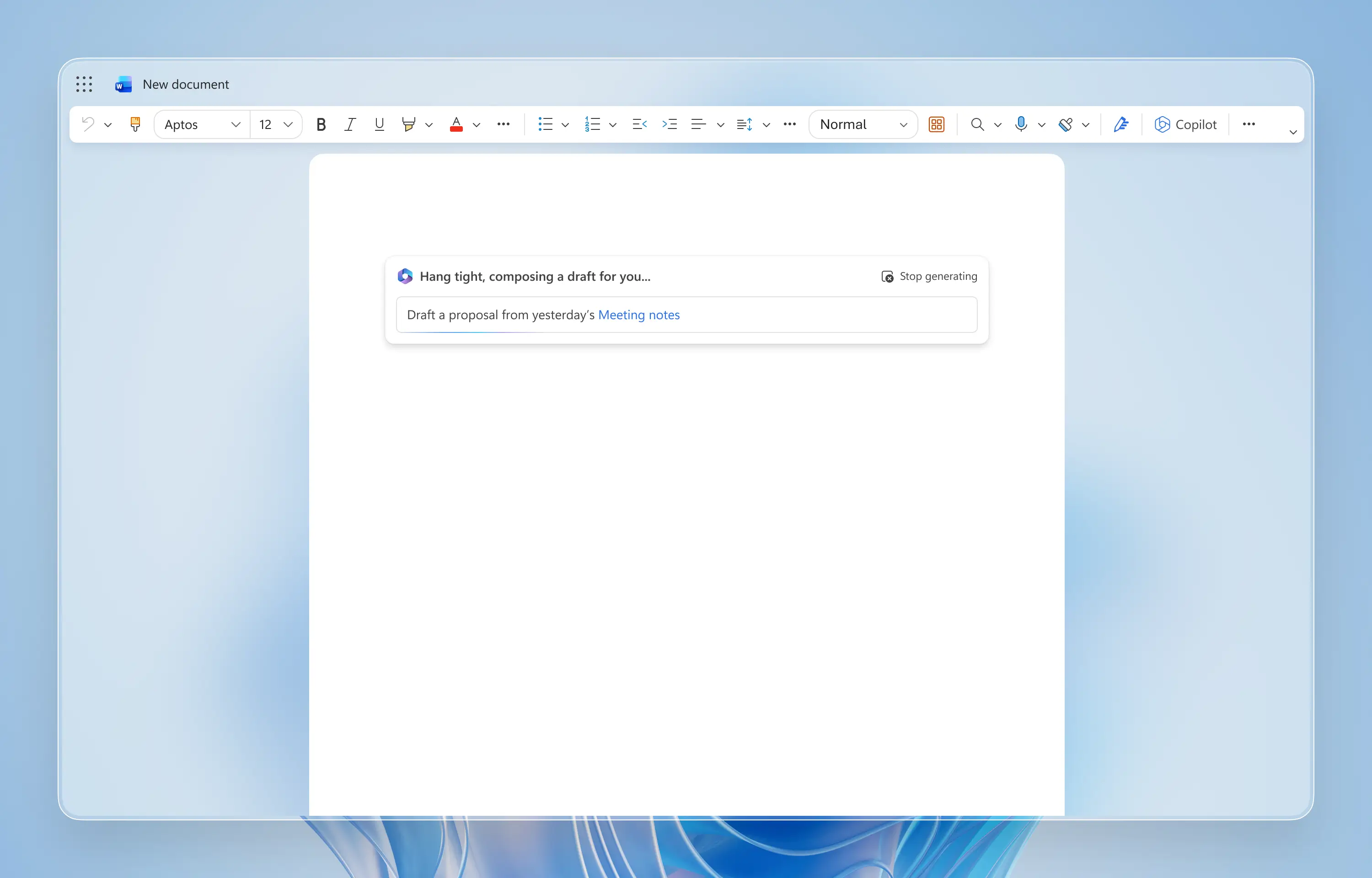
As text-davinci-003 improved speed and reliability, I streamlined the loading interaction and added explicit controls to stop generation and refine prompts mid-flow.
As text-davinci-003 improved speed and reliability, I streamlined the loading interaction and added explicit controls to stop generation and refine prompts mid-flow.
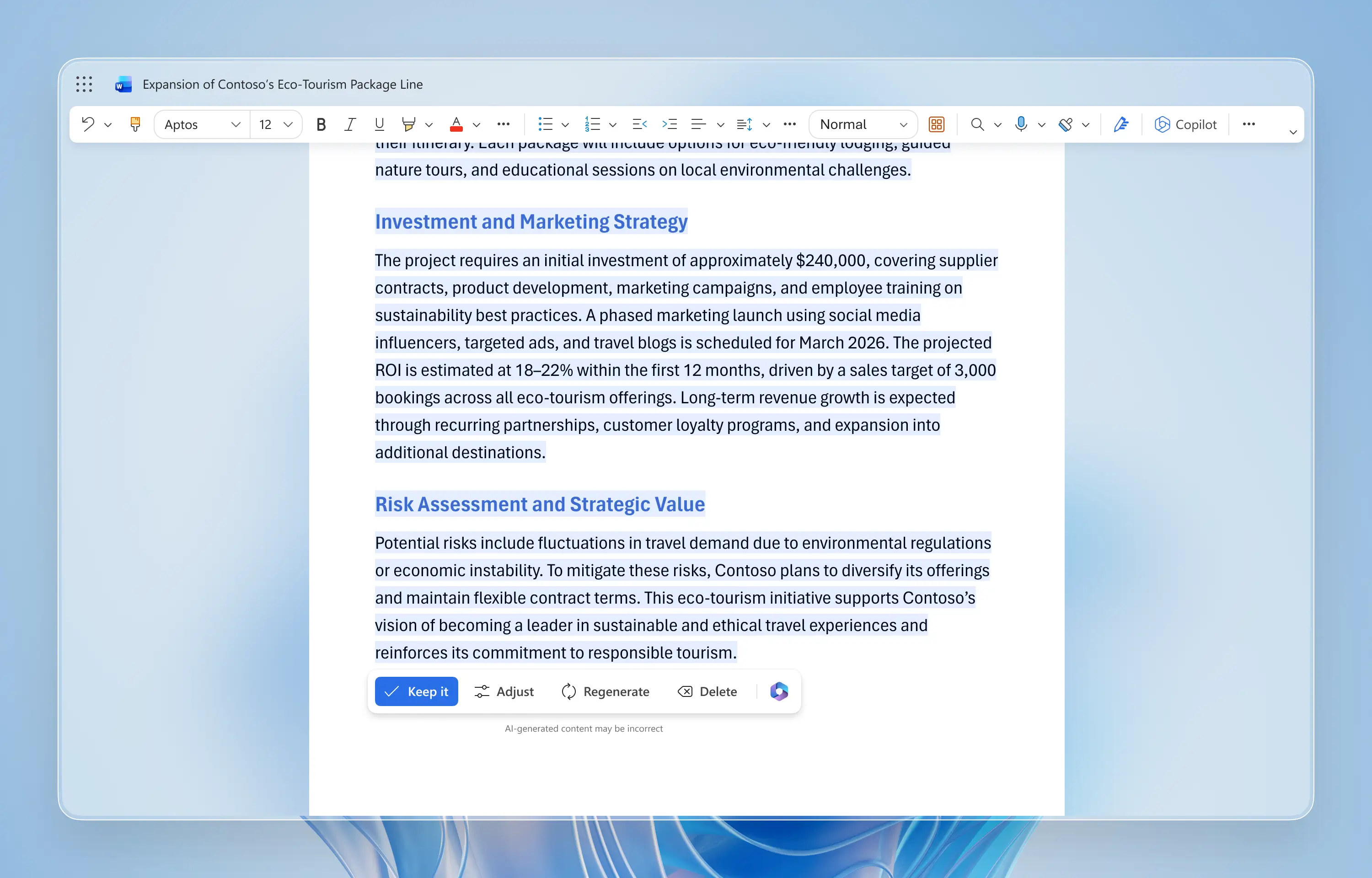
AI-generated images were removed due to slow generation and inconsistent output quality. I shifted the experience toward text-first refinement controls (Keep, Adjust, Regenerate) to make authorship clearer.
AI-generated images were removed due to slow generation and inconsistent output quality. I shifted the experience toward text-first refinement controls (Keep, Adjust, Regenerate) to make authorship clearer.
JUNE 2023–SEPTEMBER 2024
Following its public launch, Draft with Copilot saw strong enterprise adoption. In parallel, organizational focus began shifting toward deeper and multi-turn engagement. During this phase, I focused on reducing friction and strengthening iterative refinement, evolving Draft with Copilot from a one-shot generator into a more collaborative, multi-turn writing workflow.
This pivot acknowledged that effective writing is rarely a one-shot task, but a continuous loop of refinement—shifting the UX from magic generation to active co-editing.
+37%
COMPLETION RATE
-54%
DRAFT CREATION TIME
JUNE 2023–SEPTEMBER 2024
Following its public launch, Draft with Copilot saw strong enterprise adoption. In parallel, organizational focus began shifting toward deeper and multi-turn engagement. During this phase, I focused on reducing friction and strengthening iterative refinement, evolving Draft with Copilot from a one-shot generator into a more collaborative, multi-turn writing workflow.
This pivot acknowledged that effective writing is rarely a one-shot task, but a continuous loop of refinement—shifting the UX from magic generation to active co-editing.
+37%
COMPLETION RATE
-54%
DRAFT CREATION TIME
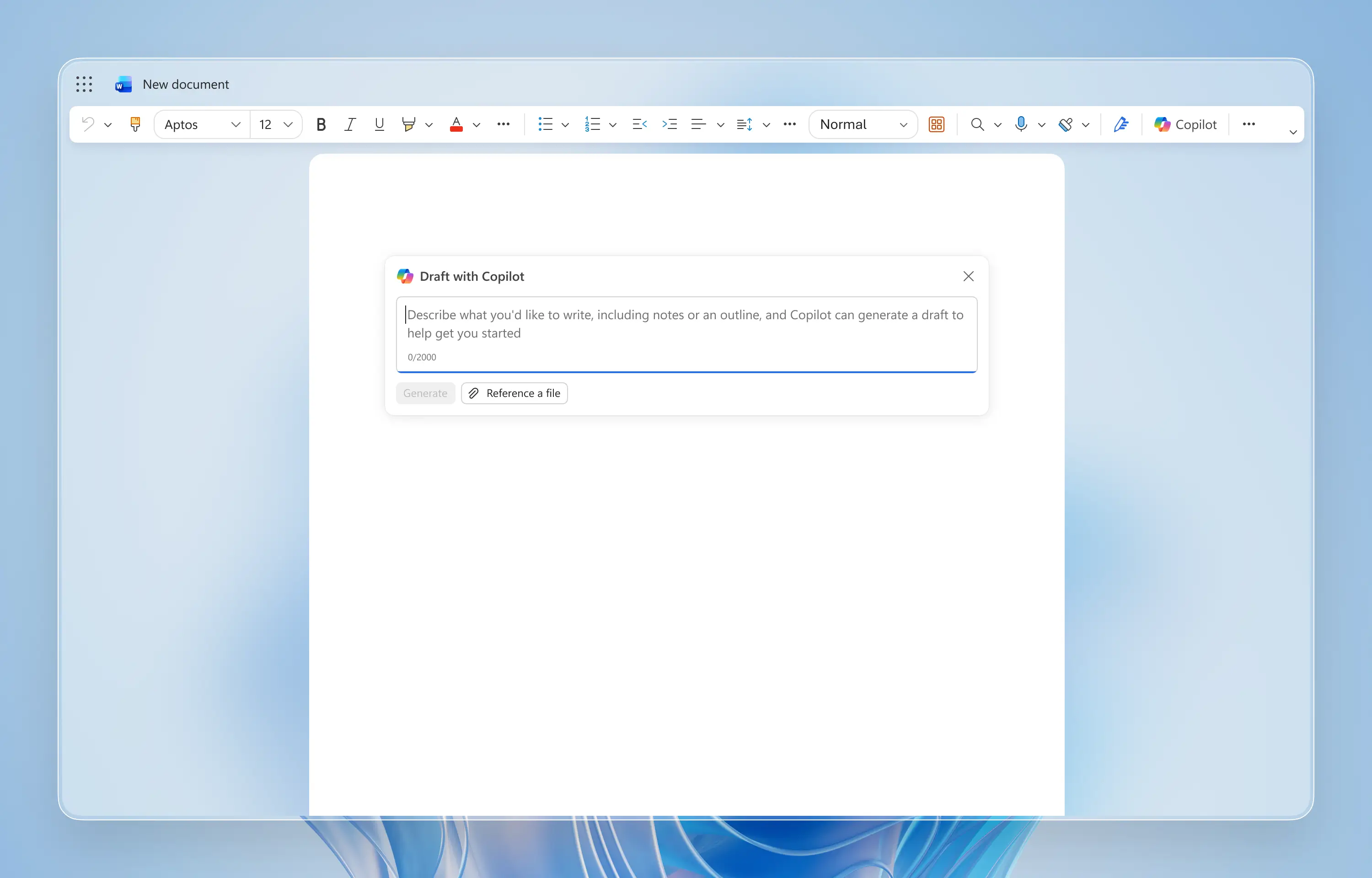
As users became more comfortable writing prompts, I removed generic suggestions and simplified the prompt input field to reduce visual noise.
As users became more comfortable writing prompts, I removed generic suggestions and simplified the prompt input field to reduce visual noise.
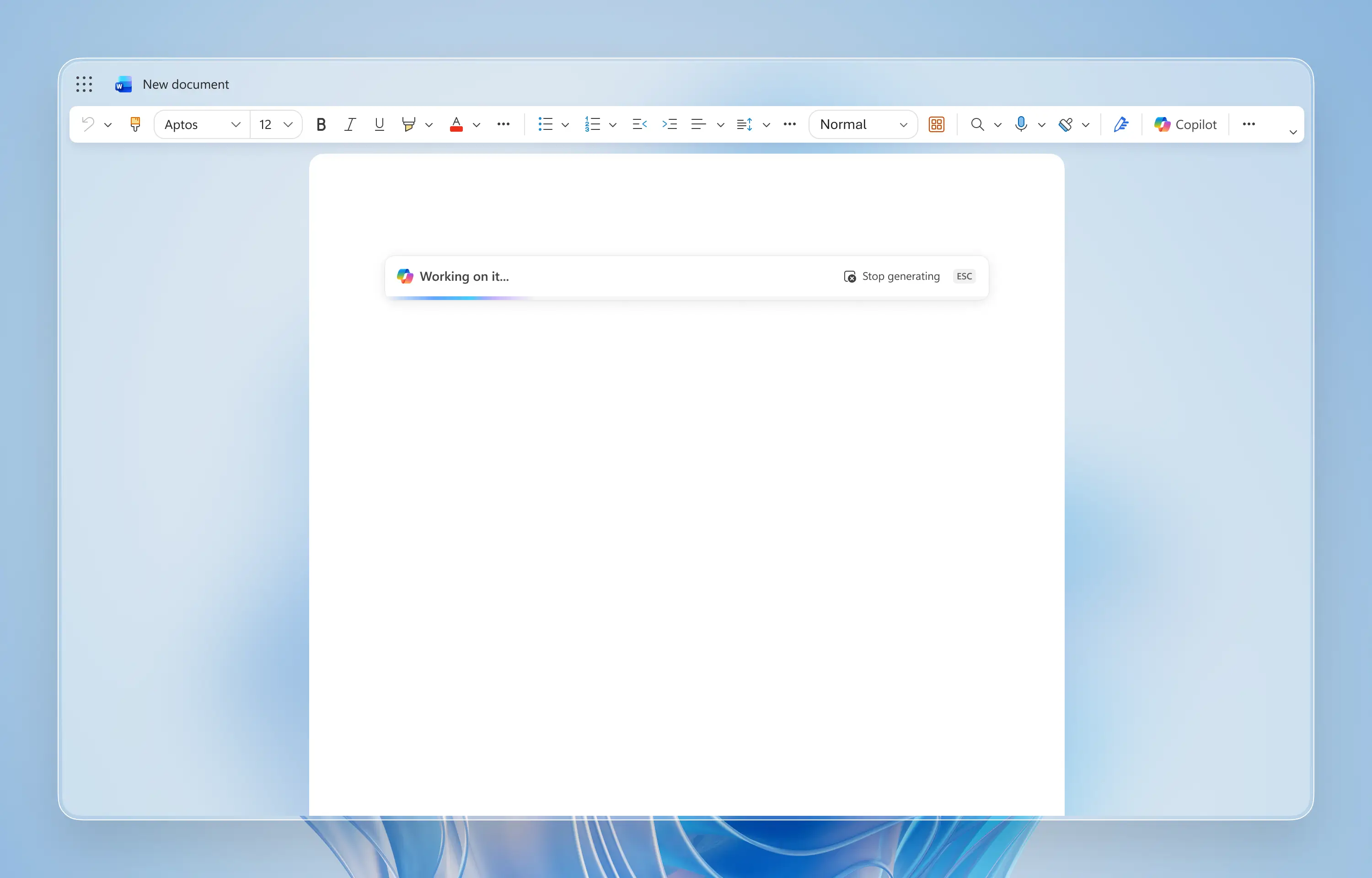
I redesigned the loading state as a lightweight bar to align with the unified Copilot pattern across Microsoft 365 products.
I redesigned the loading state as a lightweight bar to align with the unified Copilot pattern across Microsoft 365 products.
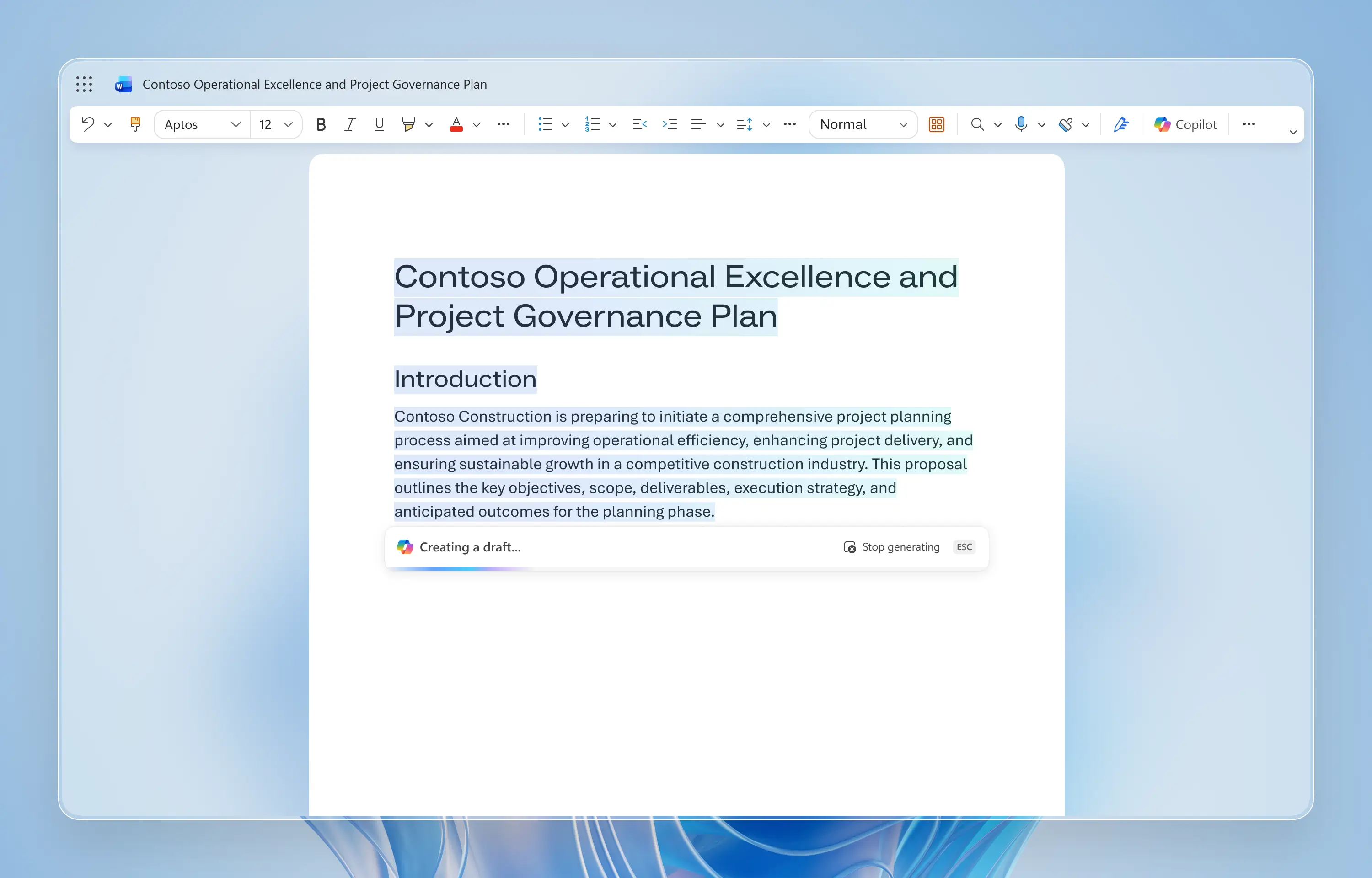
With reliable text streaming in place, the loading bar anchored to the most recently generated line, making system status clearer during longer drafting sessions.
With reliable text streaming in place, the loading bar anchored to the most recently generated line, making system status clearer during longer drafting sessions.
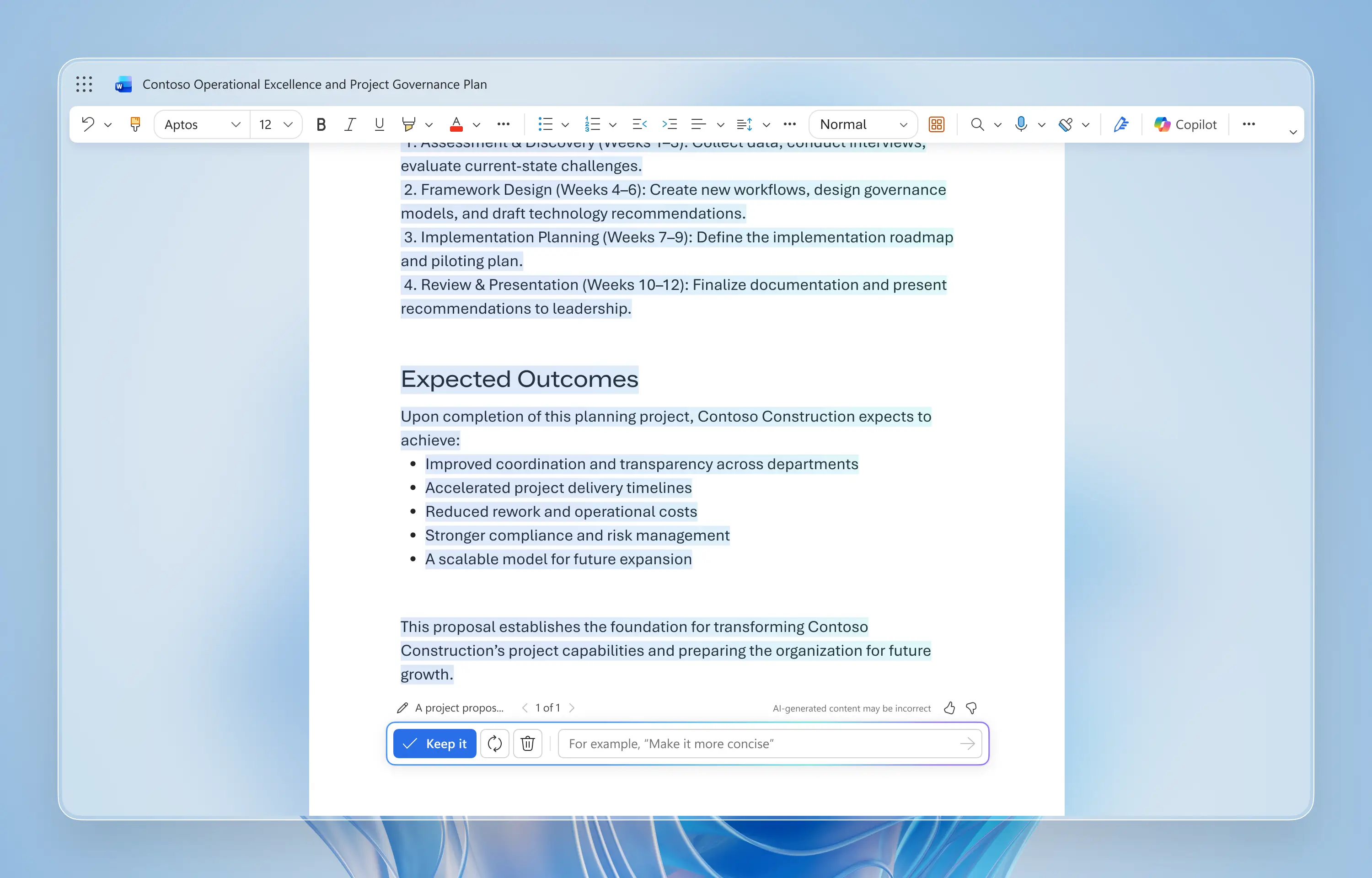
To encourage iteration, I added a mini prompt input within the draft controls so users could refine content conversationally without leaving the canvas.
To encourage iteration, I added a mini prompt input within the draft controls so users could refine content conversationally without leaving the canvas.
SEPTEMBER 2024–JUNE 2025
In September 2024, I redesigned the entry point for Draft with Copilot and introduced Always-On Grounding, a pre-generation step that automatically surfaces relevant enterprise data to improve accuracy and security, transforming a backend accuracy improvement into a visible moment of trust-building.
-33%
HALLUCINATION RATE
+41%
DRAFT KEEP RATE
SEPTEMBER 2024–JUNE 2025
In September 2024, I redesigned the entry point for Draft with Copilot and introduced Always-On Grounding, a pre-generation step that automatically surfaces relevant enterprise data to improve accuracy and security, transforming a backend accuracy improvement into a visible moment of trust-building.
-33%
HALLUCINATION RATE
+41%
DRAFT KEEP RATE
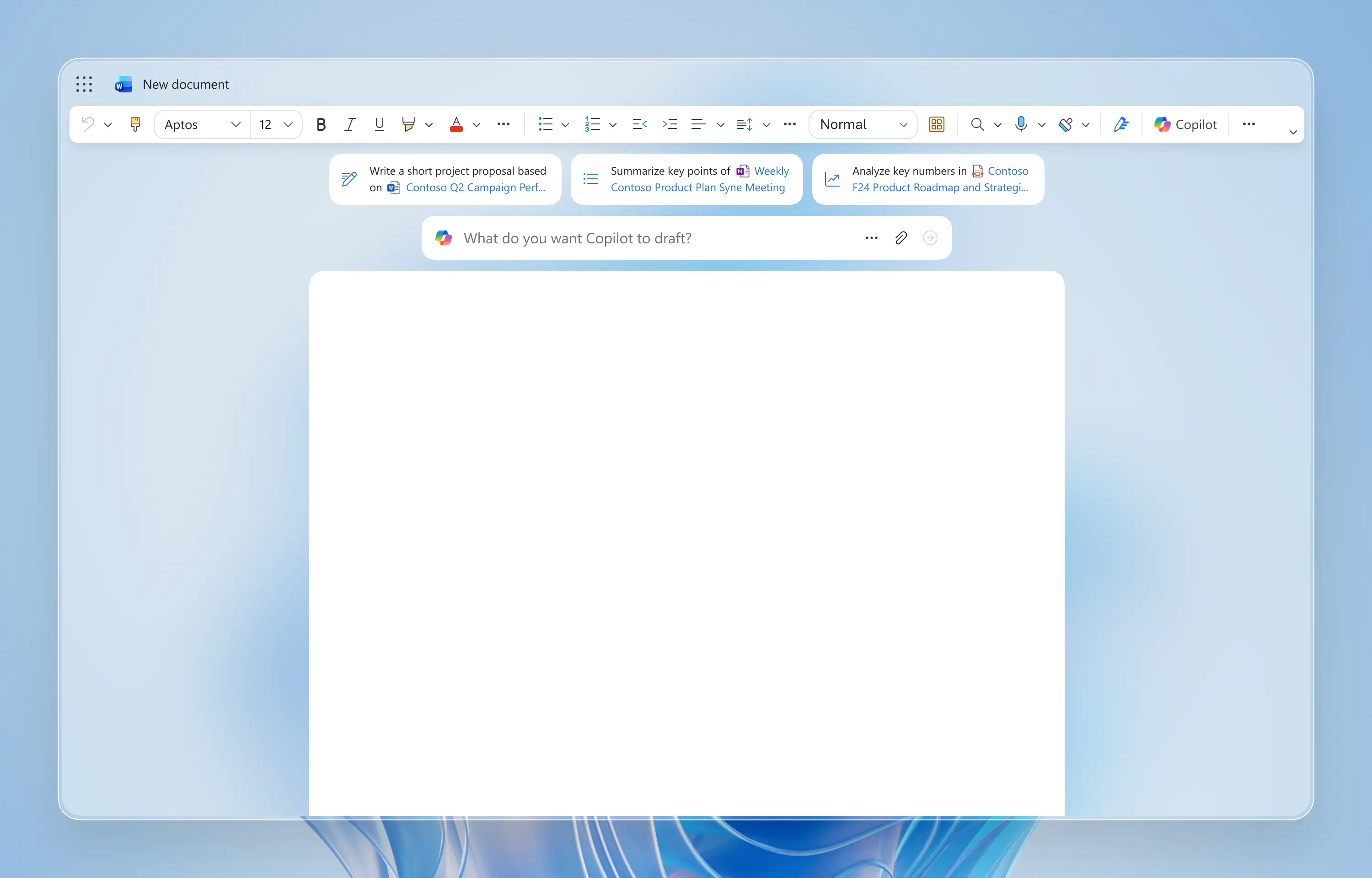
The prompt input field was moved to the top of the canvas and paired with personalized, contextual prompt suggestions.
The prompt input field was moved to the top of the canvas and paired with personalized, contextual prompt suggestions.
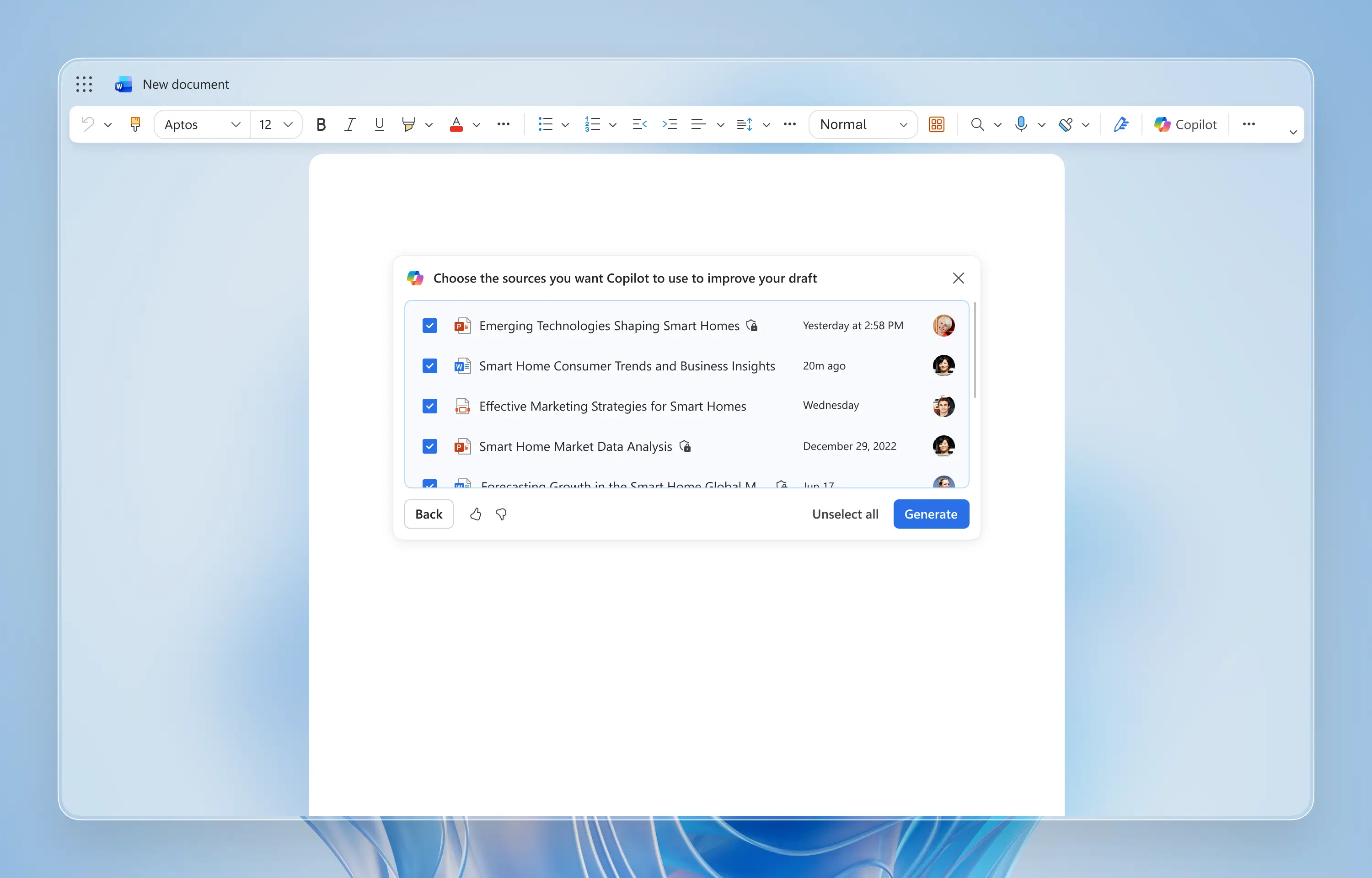
After users submit a prompt, Copilot triggers Always-On Grounding by pulling relevant enterprise context before generation.
After users submit a prompt, Copilot triggers Always-On Grounding by pulling relevant enterprise context before generation.
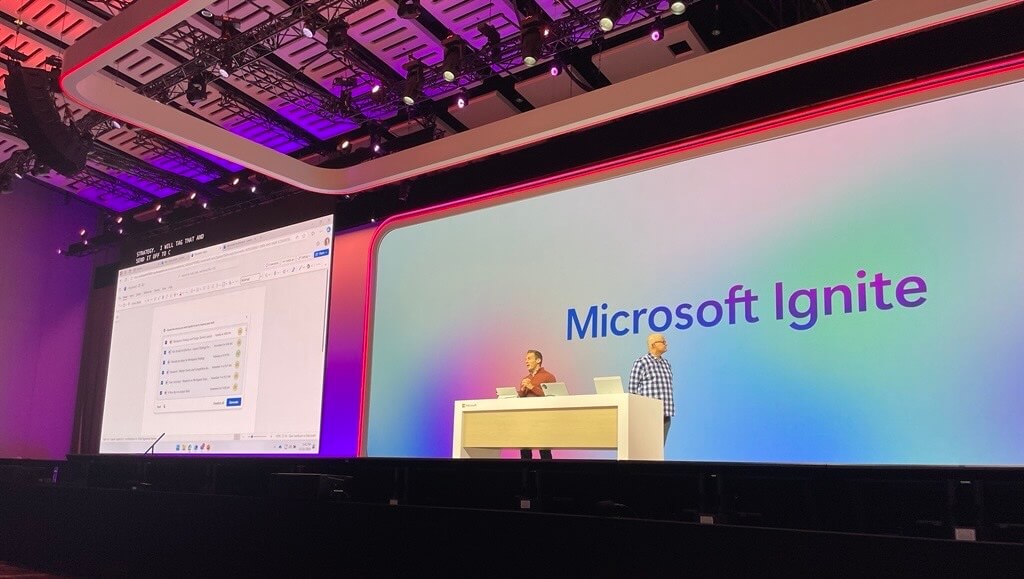
Always-On Grounding was showcased publicly at Microsoft Ignite 2024.
Always-On Grounding was showcased publicly at Microsoft Ignite 2024.
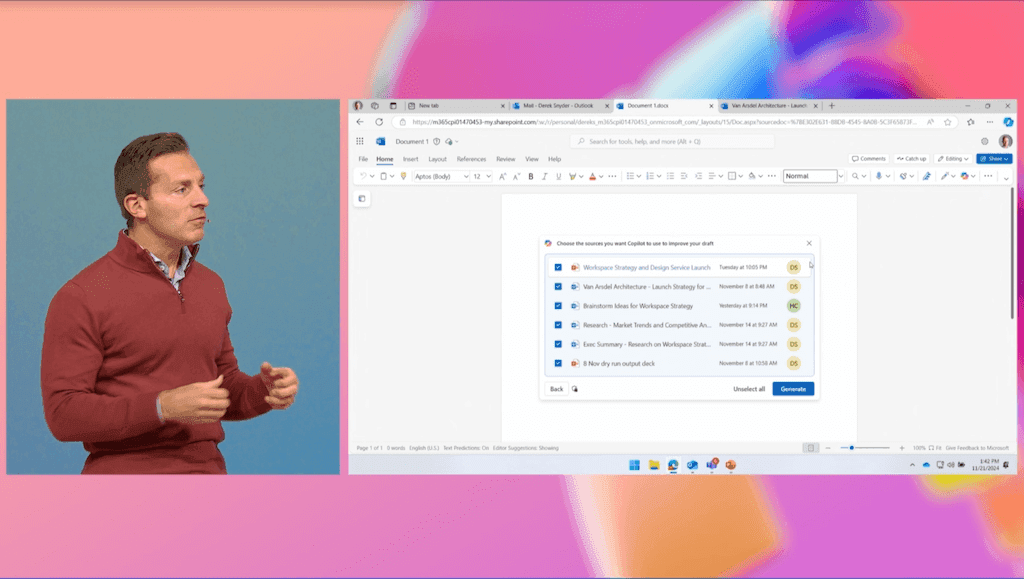
The UI shown here reflects the fully shipped experience, not a prototype.
The UI shown here reflects the fully shipped experience, not a prototype.
JUNE 2025–PRESENT
After several iterations of Draft with Copilot, we realized the next step could not be “Draft 4.0.” The main bottleneck was no longer draft quality. It was user effort. Writing is a workflow, and users were still doing the heavy lifting—managing prompts, guiding the AI step by step, and stitching pieces together. So we shifted from a reactive drafting feature to a Writing Agent that can own the goal and drive the workflow end to end.
So we rebuilt drafting as a Writing Agent inside Copilot Chat. Users simply describe what they want to achieve, and Copilot invokes the agent automatically. The agent asks a few focused questions when needed, pulls relevant context from the user’s files and work signals, proposes an outline, and drafts directly in Word with native styles and company branding.
After the draft lands on the canvas, Copilot stays engaged and keeps the workflow moving. It suggests next steps, supports iteration through conversation, and helps users refine until the document is ready to share. The result is lower cognitive load and a more reliable end-to-end drafting experience—writing becomes a guided dialogue, not a one-time generation.
JUNE 2025–PRESENT
After several iterations of Draft with Copilot, we realized the next step could not be “Draft 4.0.” The main bottleneck was no longer draft quality. It was user effort. Writing is a workflow, and users were still doing the heavy lifting—managing prompts, guiding the AI step by step, and stitching pieces together. So we shifted from a reactive drafting feature to a Writing Agent that can own the goal and drive the workflow end to end.
So we rebuilt drafting as a Writing Agent inside Copilot Chat. Users simply describe what they want to achieve, and Copilot invokes the agent automatically. The agent asks a few focused questions when needed, pulls relevant context from the user’s files and work signals, proposes an outline, and drafts directly in Word with native styles and company branding.
After the draft lands on the canvas, Copilot stays engaged and keeps the workflow moving. It suggests next steps, supports iteration through conversation, and helps users refine until the document is ready to share. The result is lower cognitive load and a more reliable end-to-end drafting experience—writing becomes a guided dialogue, not a one-time generation.
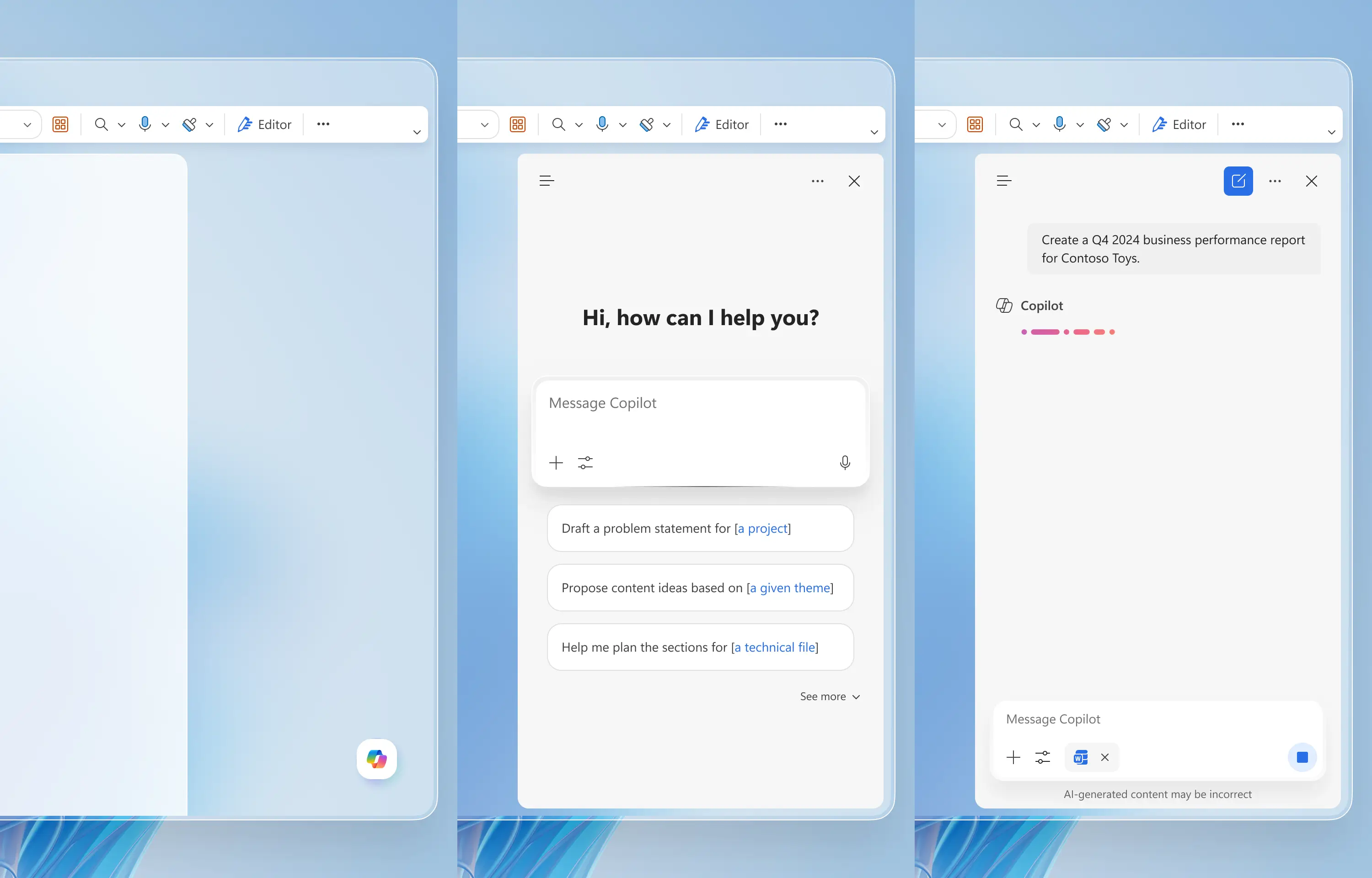
Users simply describe what they want to achieve, and the Writing Agent does the heavy lifting: it understands the goal, plans the steps, proactively pulls the right context, uses tools, and takes actions to achieve the result.
Users simply describe what they want to achieve, and the Writing Agent does the heavy lifting: it understands the goal, plans the steps, proactively pulls the right context, uses tools, and takes actions to achieve the result.
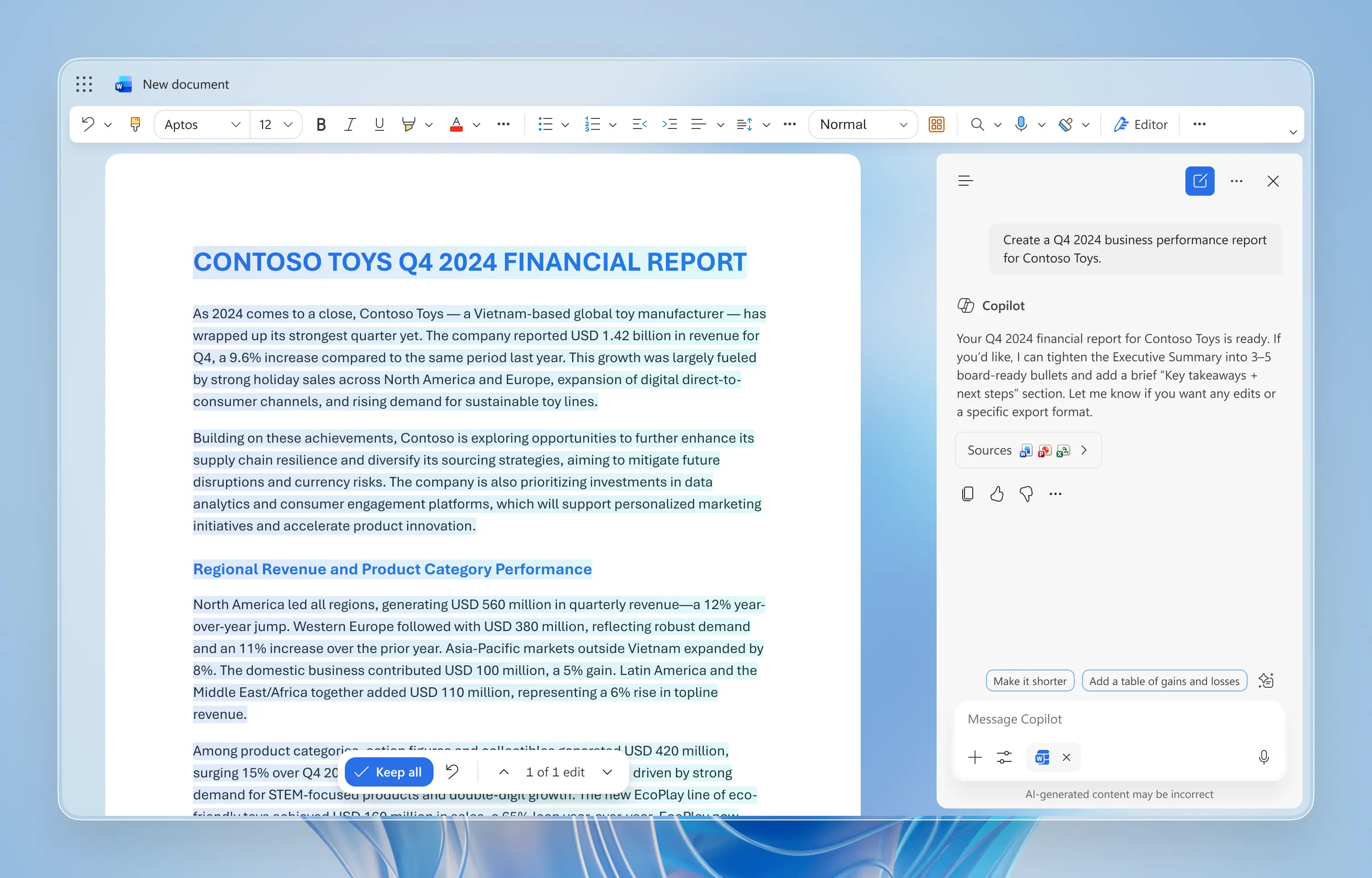
The generated draft appears on the canvas, where users can either edit it manually or continue instructing Copilot through chat to further refine the content.
The generated draft appears on the canvas, where users can either edit it manually or continue instructing Copilot through chat to further refine the content.
Over three years, Draft with Copilot evolved from a hackathon idea into an agentic drafting experience across Microsoft 365. Designing through shifting strategies, evolving model capabilities, and rising user expectations required me to clarify ambiguity, align cross-functional teams, and translate frontier AI into practical, trustworthy workflows. More than any single feature, this work strengthened how I approach AI design as a system: prioritize user agency, make system state visible, design with LLMs’ strengths and constraints in mind, and build patterns that can scale across surfaces while staying grounded in enterprise context.
Over three years, Draft with Copilot evolved from a hackathon idea into an agentic drafting experience across Microsoft 365. Designing through shifting strategies, evolving model capabilities, and rising user expectations required me to clarify ambiguity, align cross-functional teams, and translate frontier AI into practical, trustworthy workflows. More than any single feature, this work strengthened how I approach AI design as a system: prioritize user agency, make system state visible, design with LLMs’ strengths and constraints in mind, and build patterns that can scale across surfaces while staying grounded in enterprise context.